Firewall rules best practices aren't just about blocking bad traffic - they're about writing rules precise enough to stop attackers without breaking the services your team depends on. Most misconfigurations fall into a handful of predictable patterns: rules that are too broad, egress traffic that's completely uncontrolled, or default allow-all policies that were "temporary" and never changed. This guide walks through the real mistakes sysadmins and developers make, and the smarter defaults that replace them.
Content Table
Inbound vs Outbound Rules Explained
Every firewall evaluates traffic in two directions, and treating them as a single concern is where a lot of teams go wrong.
Inbound rules control traffic coming into your server or network from the outside. When someone connects to your web server on port 80 or 443, that's inbound. When an attacker probes port 22 looking for an SSH login, that's also inbound. Your inbound rules decide whether those connections get through.
Outbound rules control traffic leaving your server. A compromised server calling home to a command-and-control host, a misconfigured app leaking data to an external endpoint, or a container pulling packages from an unexpected registry - all of that is outbound. Most teams configure inbound carefully and leave outbound wide open, which is a serious mistake.
In cloud environments like AWS Security Groups, inbound and outbound rules are configured separately. In Linux
iptables
or
nftables
, they map to the INPUT and OUTPUT chains. In Windows Firewall, they're literally labeled "Inbound Rules" and "Outbound Rules" in the GUI. The concept is universal - the implementation varies by platform.
Common Firewall Misconfigurations
1. Allowing 0.0.0.0/0 on Sensitive Ports
This is the single most dangerous pattern in firewall configuration. Allowing the entire internet to reach ports like these is asking for trouble:
| Port | Service | Risk of 0.0.0.0/0 |
|---|---|---|
| 22 | SSH | Brute-force attacks, credential stuffing, exploitation of SSH vulnerabilities |
| 3306 | MySQL | Direct database access attempts, SQL injection at the network level, data exfiltration |
| 5432 | PostgreSQL | Same as MySQL - public database ports get scanned constantly by automated tools |
| 27017 | MongoDB | Historically responsible for massive data breaches when left open with no auth required |
| 3389 | RDP | Ransomware delivery vector, brute-force, BlueKeep-style exploits |
The MongoDB situation is worth highlighting specifically. Tens of thousands of databases were wiped and held for ransom between 2017 and 2019 because MongoDB instances were publicly accessible with no authentication. The IP Blacklist Checker is a useful reminder that exposure monitoring matters - because "nobody will find it" is not a security strategy.
2. Ignoring Egress (Outbound) Traffic
Leaving outbound traffic completely unrestricted means a compromised host can freely communicate with attacker infrastructure, exfiltrate data, or participate in a botnet. A server running a web app has no legitimate reason to initiate outbound connections to arbitrary IPs on arbitrary ports. Locking down egress to only what's needed - your DNS resolver, your package repository, your API endpoints - dramatically limits what an attacker can do even after gaining access.
3. Rule Ordering Errors
Consider this iptables setup:
# BAD: This allow-all rule fires first
-A INPUT -j ACCEPT
-A INPUT -s 203.0.113.0/24 -p tcp --dport 22 -j DROP
The DROP rule for SSH from that subnet is completely useless because every packet hits the ACCEPT rule first. The fix is to put specific rules before general ones, and put your default deny at the very end.
4. Overly Broad Port Ranges
Rules like "allow TCP 1024-65535 inbound" are common in legacy configurations and essentially meaningless as a security control. If your application uses port 8080, write a rule for port 8080. If you need a range for passive FTP, document exactly which range your server is configured to use and restrict to that. Broad ranges exist because someone didn't want to look up the right port - not because they were needed.
5. Leaving Default Allow-All Rules in Place
Cloud providers often default to permissive rules during provisioning. AWS's default security group allows all outbound traffic. New Azure VMs get an inbound "AllowAzureLoadBalancerInBound" rule that's fine, but the default outbound rule allows everything. These defaults are designed for getting started quickly, not for production. The moment you move a workload to production, review and tighten every default rule.
6. No Logging on Deny Rules
A firewall that silently drops traffic tells you nothing. Without logging on your deny rules, you can't distinguish between an attacker probing your ports and a legitimate service that's misconfigured. Enable logging at least on your default-deny rules so you have a baseline of what's being blocked.
Smarter Defaults That Actually Work
The following network security policy structure works across most environments and gives you a solid starting point you can adjust rather than a permissive mess you have to clean up.
Inbound Rules
- Default: DENY all inbound. Start with nothing allowed and explicitly open only what's needed.
- Port 80 (HTTP) and 443 (HTTPS): Allow from 0.0.0.0/0 only if this is a public-facing web server. If it's internal only, restrict to your internal IP range.
- Port 22 (SSH): Allow ONLY from specific IP addresses or CIDR blocks - your office IP, your VPN exit node, your bastion host. Never from 0.0.0.0/0.
- Port 3389 (RDP): Same as SSH - specific IPs only, or better yet, put it behind a VPN entirely and don't expose it to the internet at all.
- Port 3306 (MySQL) and 5432 (PostgreSQL): Allow only from your application servers' private IPs. These ports should never be reachable from the public internet.
- ICMP (ping): Allow from trusted ranges for diagnostics. Blocking it entirely makes troubleshooting painful without meaningful security benefit.
Outbound Rules
- Port 53 (DNS): Allow to your designated DNS resolvers only (e.g., your VPC's internal resolver or a specific IP like 1.1.1.1).
- Port 80 and 443: Allow to known destinations - your package repos, your APIs, your CDN. If you can enumerate them, do it.
- Port 25 (SMTP): Block outbound SMTP unless this server is explicitly a mail server. Compromised servers sending spam is a common indicator of breach.
- Everything else: DENY by default.
Here's a minimal iptables example applying this approach for a web server:
# Flush existing rules
iptables -F

# Default policies: deny all inbound and outbound
iptables -P INPUT DROP
iptables -P OUTPUT DROP
iptables -P FORWARD DROP

# Allow established/related connections
iptables -A INPUT -m conntrack --ctstate ESTABLISHED,RELATED -j ACCEPT
iptables -A OUTPUT -m conntrack --ctstate ESTABLISHED,RELATED -j ACCEPT

# Allow loopback
iptables -A INPUT -i lo -j ACCEPT
iptables -A OUTPUT -o lo -j ACCEPT

# Inbound: HTTP and HTTPS from anywhere (public web server)
iptables -A INPUT -p tcp --dport 80 -j ACCEPT
iptables -A INPUT -p tcp --dport 443 -j ACCEPT

# Inbound: SSH only from your office IP
iptables -A INPUT -p tcp --dport 22 -s 203.0.113.50 -j ACCEPT

# Outbound: DNS to internal resolver
iptables -A OUTPUT -p udp --dport 53 -d 10.0.0.2 -j ACCEPT

# Outbound: HTTPS for package updates
iptables -A OUTPUT -p tcp --dport 443 -j ACCEPT

# Log dropped inbound packets
iptables -A INPUT -j LOG --log-prefix "DROPPED-IN: " --log-level 4For a deeper understanding of how port filtering works at the protocol level, the TCP specification in RFC 793 explains exactly what happens during connection establishment - which is what your firewall is intercepting when it evaluates rules against inbound packets.
Separate Rules for Dev, Staging, and Prod
One of the most underrated firewall configuration habits is treating each environment as distinct, with its own rule set. Using the same security group or firewall policy across dev and prod is how "temporary" debug ports end up exposed in production.
A practical way to structure this:
- Dev: More permissive inbound from your team's IP range. Port 8080, 8443, and other dev ports open. Database ports accessible from developer machines. Logging optional.
- Staging: Mirror prod rules as closely as possible. The goal is to catch firewall-related issues before they hit production. Add access for your QA team's IPs.
- Prod: Strictest rules. No debug ports. No direct database access from outside the private subnet. All deny rules logged. SSH restricted to a bastion host or VPN only.
Tag your firewall rules with the environment they belong to. In AWS, use resource tags on security groups. In Terraform or other IaC tools, use variable-driven rule sets so dev and prod rules share the same structure but different values. This makes auditing dramatically easier.
You can also use our ping tool to quickly verify whether a host in a given environment is reachable at the network level before diving into port-specific checks.
Verify What's Actually Exposed
Writing firewall rules is only half the job. The other half is confirming that what you intended to block is actually blocked, and what you intended to allow is actually reachable. This is where a lot of teams skip a step and ship misconfigured systems.
After applying any changes to your firewall configuration, run an external port check from outside your network. This simulates what an attacker would see - not what your internal monitoring thinks is exposed.
Things to check after every firewall change:
- Port 22 (SSH): Should show CLOSED or TIMEOUT from any IP not on your allow list.
- Port 3306 (MySQL) and 5432 (PostgreSQL): Should never be OPEN from the public internet.
- Port 3389 (RDP): Should be CLOSED or TIMEOUT unless you've deliberately exposed it with IP restrictions.
- Port 80 and 443: Should be OPEN on public-facing web servers.
- Any custom application ports: Verify they match your intent - open where needed, closed everywhere else.
You can also use our DNS lookup tool to confirm that the hostname you're testing resolves to the IP you expect before running port checks - useful when dealing with environments where DNS records and actual server IPs don't always match.
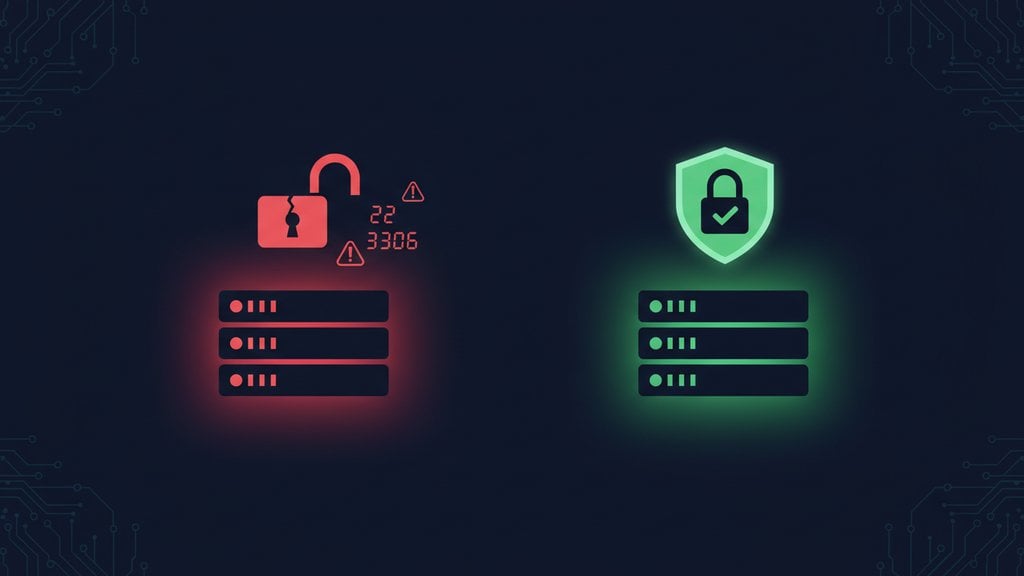
See exactly which ports are exposed after applying firewall rules
Use our free Port Checker to test whether SSH (22), RDP (3389), MySQL (3306), PostgreSQL (5432), and other sensitive ports are actually open or closed from the outside - so you can confirm your firewall rules best practices are working as intended, not just written correctly.
Check Your Open Ports →
AWS Security Groups are essentially stateful firewalls attached to EC2 instances or other resources. They work on the same inbound/outbound rule principle, but they're stateful by default - meaning if you allow inbound traffic on port 443, the response traffic is automatically allowed outbound without a separate rule. Traditional stateless firewalls like iptables require explicit rules in both directions for each connection unless you use connection tracking (conntrack). Security Groups also don't support deny rules - you can only allow traffic, and anything not explicitly allowed is denied.
Blocking ICMP entirely is usually more trouble than it's worth. Ping is used for legitimate diagnostics, and ICMP also carries Path MTU Discovery messages that affect TCP performance. A better approach is to allow ICMP from trusted IP ranges (your team, your monitoring system) and block it from 0.0.0.0/0. This keeps your server off casual internet scanners while preserving diagnostic capability. Blocking ICMP does not meaningfully hide a server from determined attackers - TCP SYN scans work fine without ping responses.
Before applying any SSH restriction rules, verify you have an alternative access method - cloud console access (AWS EC2 Instance Connect, GCP Cloud Shell, Azure Serial Console), a physical console, or an out-of-band management interface. Then add your specific IP allow rule for port 22 before applying the default deny. Test the new rule in a separate terminal session before closing your current connection. If your IP is dynamic, consider using a VPN with a static exit IP rather than allowing your home IP directly.
MySQL (3306) and PostgreSQL (5432) are scanned constantly by automated tools looking for exposed databases. Even with strong passwords, public exposure creates unnecessary attack surface - authentication bypasses, zero-day vulnerabilities, and credential brute-forcing all become viable attack paths. Databases should only be reachable from your application servers' private IPs, never from the public internet. If you need remote database access for administration, route it through a VPN or SSH tunnel rather than opening the database port publicly.
At minimum, audit firewall rules quarterly and after every significant infrastructure change - new services deployed, team members leaving (their IP allowances should be removed), architecture changes, or security incidents. Automated tools can help: AWS Config can flag security group changes, and tools like Terraform state drift detection catch unauthorized manual changes. Also run an external port check after every audit to verify the rules match reality. Rules that look correct in a config file don't always behave as expected after complex rule interactions.
In Kubernetes and container environments, network policies replace traditional firewall rules for east-west (service-to-service) traffic. Kubernetes NetworkPolicy resources let you define which pods can communicate with which, on which ports. For north-south traffic (external to cluster), cloud provider load balancer security groups or ingress controller rules apply. The key principle is the same: default deny, explicit allow. Tools like Calico or Cilium provide more granular network policy enforcement than the default Kubernetes implementation.